Sheets
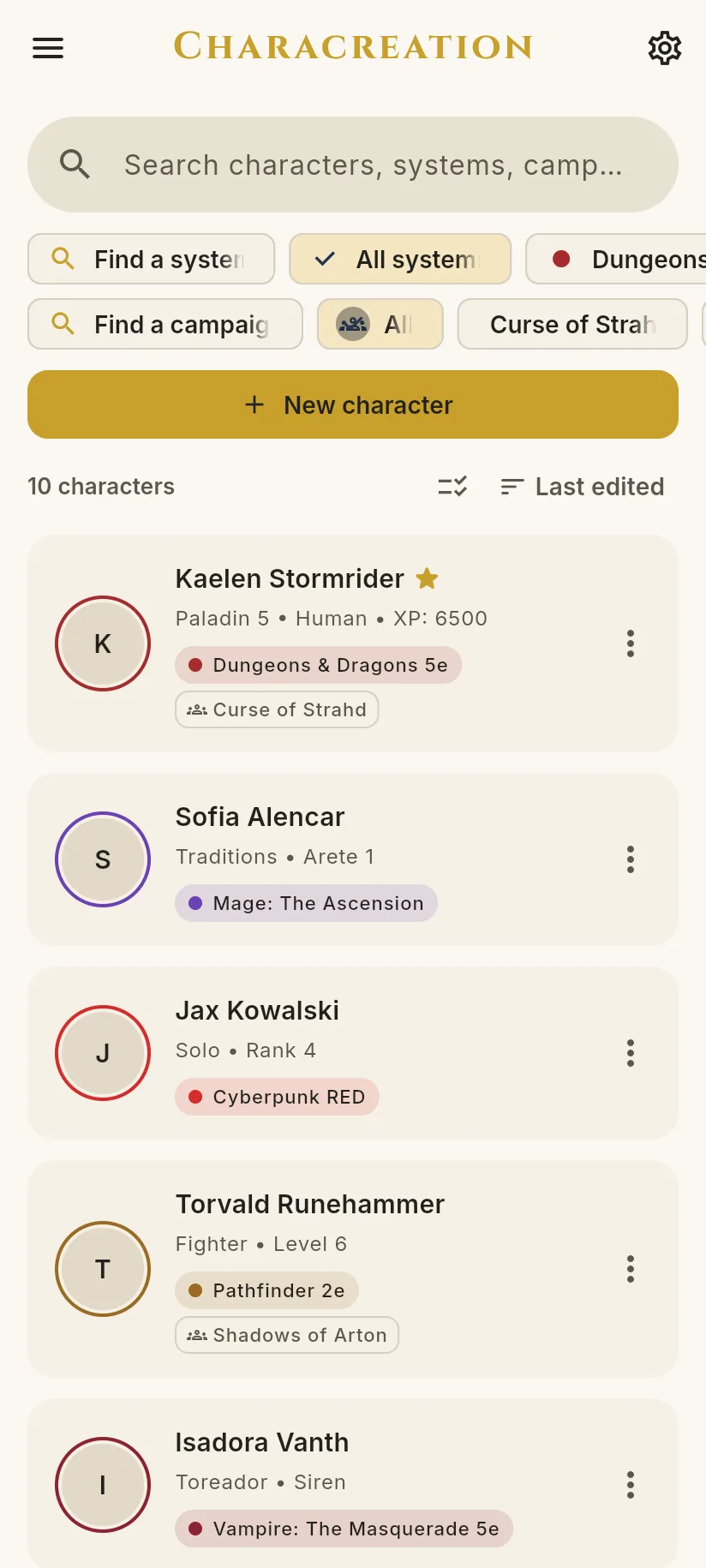
Favourites on top, the rest by last edit, name or system. Duplicate, export, delete from the card.
Tabletop RPG character sheets for Android
Characreation keeps your tabletop RPG character sheets, NPCs, campaigns, dice and encounters together — on your phone, offline, with no account.
No analytics. Your sheets stay on your phone and leave it only when you say so.
Click to roll
Dungeons & Dragons 5e, Mage: The Ascension, Cyberpunk RED, Call of Cthulhu 7e, Tormenta20, Ordem Paranormal, Vampire: The Masquerade 5e and Pathfinder 2e — each with the printed sheet reproduced, its own rules for the derived numbers and its own list of conditions.
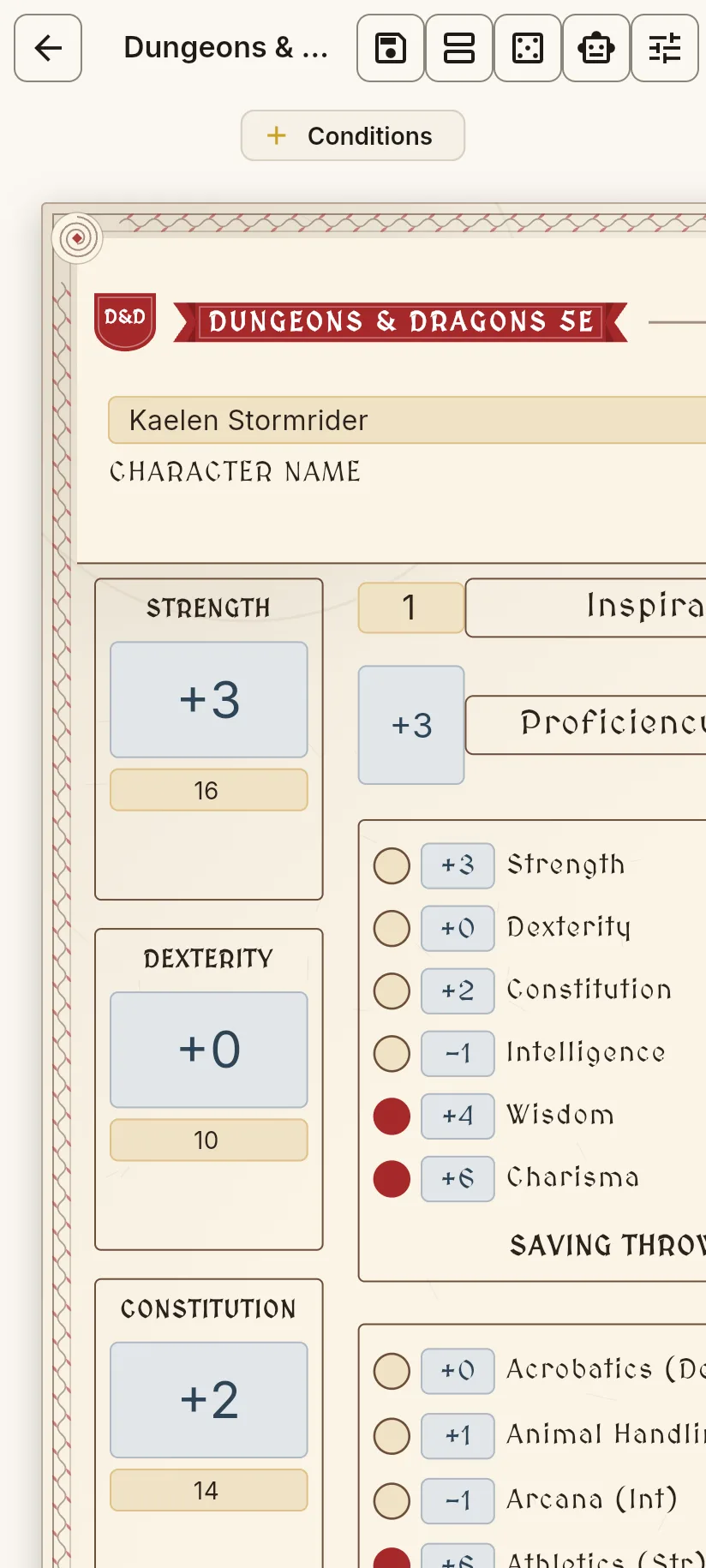
Dungeons & Dragons 5e
Hover or tap an emblem
The paper layout reproduces the official sheet on a pan-and-zoom canvas. The compact layout puts the same fields in tabs, sections and counters made for a phone. Switch any time; the sheet follows the app theme or pins its own.
Tap a field, type, done. Autosave in the background, or a Save button that fills up while there are changes.
Each system's own list — exhaustion 3, frightened, critical injuries — plus anything you type.
Modifiers, saves, skills, spell DCs: computed from the rules, or left to you.
Sheets, NPCs & Monsters, Campaigns, Dice and Encounters share one shell: the same top bar, the same settings, import and export a tap away from anywhere.
Favourites on top, the rest by last edit, name or system. Duplicate, export, delete from the card.
One entity, person or beast: portrait, notes and a stat block — the D&D 5e SRD block, or a generic one in the system's vocabulary.
The party, its NPCs and monsters, notes and emblems, in one place.
Any expression — 8d6, 2d20kh1, 4dF — with the odds, saved rolls and a history.
Initiative, hit points, conditions and turns for everyone at the table, and a top-down board with tokens.
Type a concept and Characreation writes the sheet: attributes, skills, gear, spells, a backstory. Open a sheet and describe a change; it is rewritten, saved, and one tap undoes it.
Gemini, OpenAI, Anthropic or any OpenAI-compatible endpoint. Keys live in the phone's secure storage and go only to the provider they belong to.
An on-device model runs on the phone itself. Nothing leaves it.
The generator knows each sheet's fields and each system's rules.
Nothing lives on a server of ours, because there is none. What you make becomes a file whenever you want it to.
A real form, fields named after the sheet, pre-filled, handed to the share sheet or straight to print.
One sheet as a file, on any device. One backup with every sheet, creature and campaign.
Optional: sign in and every save is copied to a folder in your Drive. Signed out, the app is exactly the same.
No analytics · Works offline · Your sheets stay on your phone
This is the real app, built for the browser, with a sample party already inside. Open sheets, roll dice, run an encounter.
The demo keeps its data in this browser only. The on-device model and Google Drive are phone features; the cloud AI providers work here with your own key.
Characreation is in closed testing on Google Play, and the test is open to anyone: join the testers group, accept the invitation, install it from the store. No waiting for an answer.
Google Play knows its testers by group. Open the group signed in with the Google account you use on your phone and tap Join group.
Rather do it by e-mail? Send an empty message to testadores---characreation+subscribe@googlegroups.com and answer the confirmation that arrives.
Open the invitation with the same account and tap Become a tester. Play can take a few minutes to see a new group member, so if it says the test is not available, wait a little and reload.
The store page opens for testers like any other app's, and the updates arrive on their own. Anyone who has not accepted the invitation yet gets a not-found page: that is the test being closed, not a broken link.
Stuck on any of the three? Write to luizlinkezio@gmail.com.